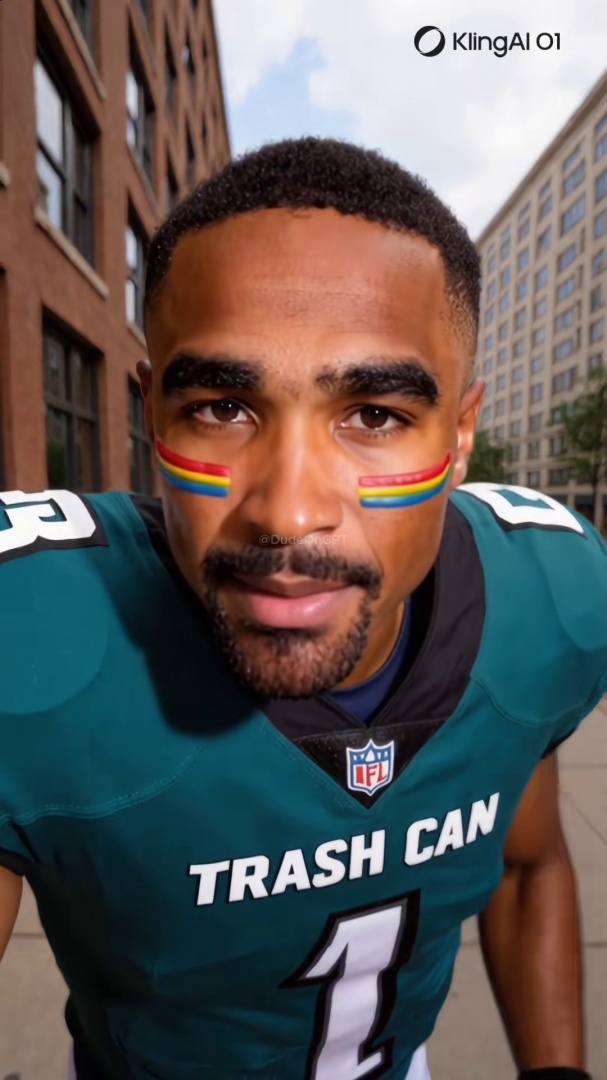
Quick answer: When you find a deepfake on TikTok, Instagram, or Facebook, do six things in order: do not share or repost, check whether the account has been flagged on Ledger, report it on the platform under the synthetic media category, add your vote to Ledger, document the content if a real person is targeted, and do not engage with the account.
You spotted a video that looks wrong. The face does not move right. The hands distort on close inspection. Something is off.
Now what?
Most guides stop at detection. This one starts there. Here is the full action sequence, in order.
Platform Reporting Alone Is Not Enough
Let's be direct about something before the steps: reporting to TikTok or Instagram is worth doing, but it is not a resolution. Reports go into a queue. Enforcement is measured in days, not minutes. The content often continues to circulate while the report is being processed.
That is not a reason to skip reporting. It is a reason to treat it as one step in a longer sequence, not the whole job.
Step 1: Do Not Share It
Before you do anything else: do not repost, quote-post, or screenshot-share the video. AI-generated content spreads fastest when real users amplify it to their own audiences. Even sharing it to warn people extends its reach. Complete steps 2 through 4 first.
Step 2: Check Whether It Has Already Been Flagged
Paste the video URL into Ledger at ledgerapp.app/check. If other users have already encountered this account or video, you will see the community's report. This tells you two things: whether there is existing evidence, and whether this is an isolated video or part of a pattern of AI-generated content from the same account.
If the account has been flagged repeatedly, that is a stronger signal than a single suspicious video.
Step 3: Report It on the Platform
The instructions here are worth following exactly. Small navigation errors mean your report gets filed under the wrong category.
On TikTok: Long-press the video, tap Report, select "Fake or misleading content," then "Synthetic or manipulated media."
On Instagram: Tap the three dots on the post, tap Report, select "False information," then "Edited media or deepfake."
On Facebook: Tap the three dots on the post, tap Report post, select "False information," then "Deepfake or manipulated media."
The reports go into a queue. Enforcement timelines are measured in days, not minutes. Do not expect immediate action.
Step 4: Add Your Vote to Ledger
If the video has not been seen before on Ledger, your vote starts the community record. Go to ledgerapp.app/ledger and submit the video. Your assessment, combined with votes from other users, builds a consensus score that makes the next check faster for everyone who encounters the same account.
One vote is not a verdict. A pattern of votes from multiple users is the signal that matters. The value compounds over time, especially when an account deletes content and creates a new one.
Step 5: If the Video Targets a Real Person, Document It First
If the deepfake is of a specific real person, especially a public figure, journalist, or someone you know personally, document it before reporting. Platform reports sometimes result in the content being removed before any third party can review it.
Consider someone who finds a deepfake of a colleague used to spread false claims about them professionally. If they report immediately and the content is removed, they lose the evidence they would need to escalate. Document first. Save the URL, take a screen recording with the URL visible, and note the account name, follower count, and date.
If the content involves non-consensual intimate imagery, the NCII.org hash-matching tool allows victims to submit a hash of the content that platforms can use to block future uploads without requiring the victim to re-report every instance.
Step 6: Do Not Interact With the Account
Do not comment, follow, or engage with the account in any way. Engagement signals to the algorithm that the content is interesting. That increases distribution to other users. Silence is the correct response to an account you have flagged as generating AI content.
Why Your Report Outlasts the Content
TikTok's Q1 2026 transparency report documented 2.3 million AI video removals in three months. That figure represents what their automated systems caught. It does not represent the full volume of AI-generated content that remained on the platform.
Accounts that generate AI content often delete videos and switch usernames when they get flagged. Platform removal ends the record. The Ledger community database is designed to persist across those resets. Your report stays attached to the pattern, not just the single piece of content. The next person who checks a video from the same account benefits from what you documented.
That is the practical reason to use both channels, not just one.
Check a Video Now
Paste a TikTok, Instagram, or Facebook Reel URL into Ledger and see what the community has already found.
Check a video at ledgerapp.app/check
Related Posts
- How to Tell If a TikTok Video Is AI-Generated: 7 Signs to Check Right Now: the visual detection guide for spotting AI video before you report it
- Is It Illegal to Make a Deepfake? What the Law Actually Says in 2026: the legal options and limits when reporting alone is not enough
- Free vs. Paid Deepfake Detection Tools: What You Actually Need: tools to strengthen your documentation before and after you file a report
- Someone Can Open a Bank Account in Your Name With a Photo. Here Is How to Check.: the credit freeze most people place does not cover checking accounts