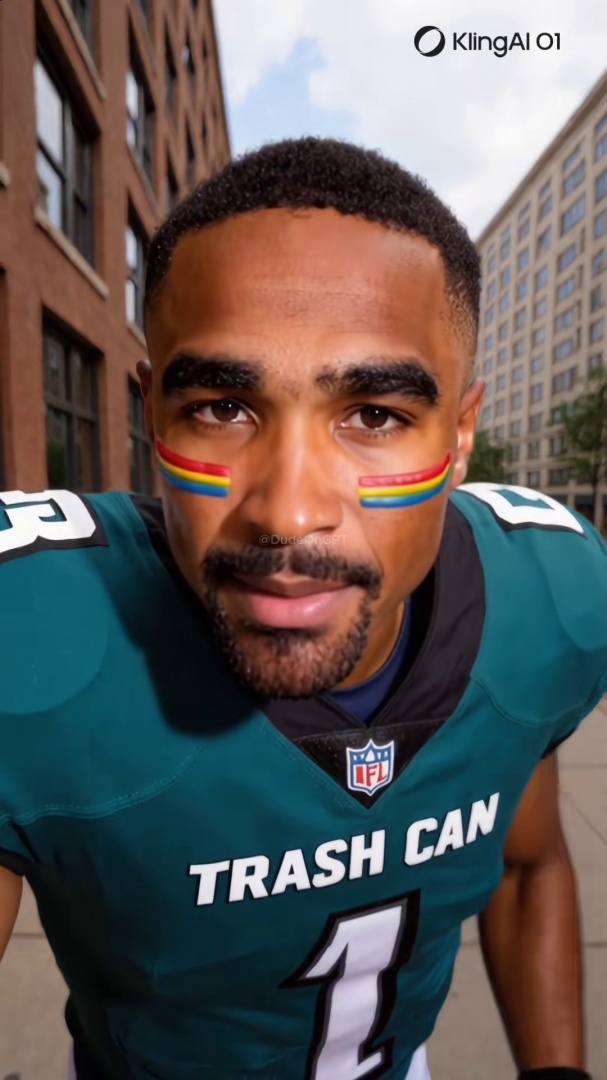
Quick answer: TikTok's AI-content label depends on creator self-disclosure and C2PA metadata that fraud accounts strip, so most synthetic videos arrive unlabeled. Spot one by scrubbing head-movement shots for eye and hairline artifacts, watching the hands for finger errors, checking lip sync on B/P/M sounds, and reverse-image-searching the account's other content.
You are scrolling TikTok. A video stops you. Something feels off about the person on screen, but you cannot name it. The eyes look glassy. The hands seem wrong. The voice does not quite match the mouth.
You are probably looking at an AI-generated video.
TikTok rolled out an "AI-generated content" label in 2023 and added automatic detection via C2PA Content Credentials in 2025. According to TikTok's Q1 2026 transparency report, the platform removed 2.3 million AI-generated videos in three months. That sounds like a lot. It is not. The Q1 takedown count is what was caught, not what was missed, on a platform that processes billions of uploads.
The label catches some synthetic content. It misses most. This post walks through seven specific signs to check yourself, the 30-second verification flow you can run before sharing any clip, and what to do when you find a fake.
For the broader technical grounding on how synthetic video is generated, see the pillar guide on what a deepfake actually is.
2.3 million
AI-generated videos removed from TikTok in Q1 2026 according to the platform's own transparency report. The takedown count reflects what the platform caught, not what slipped through, on a platform that processes billions of uploads per quarter.
Source: TikTok Q1 2026 Community Guidelines Enforcement Report.
Why TikTok's AI Detection Misses Most Synthetic Video
Three structural problems make the label unreliable as a single source of truth.
Creator self-disclosure is a voluntary toggle. TikTok asks creators to mark content as "AI-generated" via a toggle when posting. The toggle is voluntary. Fraud accounts and meme accounts skip it routinely. The label fires reliably only on cooperating creators who had no reason to deceive in the first place.
Automatic detection depends on C2PA metadata operators strip. TikTok's auto-detection looks for C2PA Content Credentials embedded by source tools like Adobe Firefly, DALL-E, and Midjourney. Operators run outputs through any conversion that drops the metadata, and the label never fires. This is the same structural failure that affects Instagram's Made with AI label; both platforms inherit the limitation from the C2PA standard itself.
The For You Page algorithm amplifies engagement, not authenticity. Once a synthetic clip starts pulling watch time, replies, and shares, the algorithm surfaces it to more viewers regardless of whether the label is present. Engagement is what the system optimizes. A labeled AI video that goes viral reaches as many feeds as an unlabeled one.
The EU AI Act's Article 50 enforcement deadline of August 2, 2026 will tighten labeling rules for EU audiences. US-side enforcement remains voluntary. Until that changes, the label is one signal among many, not a verdict.
Seven Signs to Check on a TikTok Video
The list matters less than the order you check them in. Start with eyes and hands. Those fail first, and they fail most often.
1. Unnatural eye behavior. Synthetic faces blink at irregular intervals or not at all. The eyes drift when the person turns their head. Pupils sometimes fail to dilate consistently between cuts. Pause and scrub frame-by-frame through any head-turn shot. On a real person, the eyes stay coherent through motion. On an AI face, they tend to reset in ways a real iris cannot.
2. Hand and finger distortion. Hands remain a known failure point for current generators. Fingers merge, split, or change count between frames. Knuckle texture disappears. Nails are often absent or repeated identically on every finger. If the person uses their hands, watch them closely. A real hand moves with consistent anatomy; an AI hand often looks correct in a single frame and falls apart in motion.
3. Lip sync misalignment on B, P, and M sounds. AI-generated video is often assembled from a generated face layered over synthesized or cloned speech. Lip movements do not always match the phonemes being spoken. Watch the mouth on words like "Bitcoin payment" or "make money." If the lips do not fully seal between bilabial consonants, the audio was generated separately from the footage.
4. Lighting that does not move with the head. In a real video, light changes as the person moves: shadows shift, highlights move across skin. In many AI-generated videos, the lighting is baked into the face and stays fixed. Look at the highlight on the nose tip. On a real face it migrates as the person turns. On an AI face it stays put.
5. Hairline and ear boundary errors. The boundary where hair meets skin is one of the hardest things for current generators to produce consistently. Hair strands blend into ears. Earrings float slightly off the lobe. The edge of a hairline shifts between cuts. This is especially visible on high-contrast backgrounds; watch the boundary as the person crosses light and dark areas.
6. Skin texture too smooth or too noisy. Real skin has pores, texture, imperfections. AI-generated skin tends toward one of two extremes: plastic-smooth with no texture, or overloaded with texture that does not move naturally with the muscles underneath. Scrub the video and watch whether the texture stays consistent. AI texture often shimmers slightly as the face moves.
7. Background warping near the head. The boundary between the generated face and the background is where generative errors concentrate. Look at the area just outside the hairline and ears. Straight edges in the background (door frames, shelves, picture frames) bend slightly near the head as it moves.
For the universal visual-tells framework that applies to any AI face on any platform, see the 6 visual tells that instantly give away an AI face on video. The seven TikTok-specific signs above are the platform-context application of those broader principles.
Think you found an AI video?
Paste the URL and let the Ledger community verify it. Free.
The 30-Second Verification Flow
A scannable workflow you can run on any TikTok before you share it.
- 0:00–0:05: Tap the three-dot menu, look for "AI-generated content" or "Made with AI." If present, you have one positive signal.
- 0:05–0:15: Pause the video. Scrub the timeline frame-by-frame through any head-movement shot. Watch eyes, hands, and the hairline.
- 0:15–0:20: Replay with eyes closed. Listen for breath, room tone, ambient noise. Too-clean audio is a flag.
- 0:20–0:25: Take a screenshot. Open Google Lens or any reverse-image-search tool. Search for the face.
- 0:25–0:30: Tap the username. Scroll the profile grid. Studio-lit single-subject shots only, no group photos, no real-world context, is the AI-persona pattern.
If two or more signs fail, do not share. The flow is short enough to run on every TikTok that asks you to feel something strong: anger, attraction, fear, urgency. Those are the videos operators design to spread.
What to Do When You Find a Fake
Three steps in order.
Do not engage. No comment, no share, no skeptical reply. Engagement is part of how the For You Page decides which videos reach more viewers. Even a comment that says "this is fake" amplifies the post in the algorithm. Move on.
Report through the three-dot menu. Tap the three dots, choose Report, then "Misinformation" or "AI-generated content not labeled," depending on the menu version. Reports do not always trigger immediate action, but they feed the pattern data TikTok's enforcement systems use.
Document the operator if the account looks coordinated. If the account posts only AI-generated content and follows the fraud-farm pattern (studio-lit grid, bio link to crypto or Fanvue, recent creation date, follower-engagement mismatch), take screenshots of the bio, the grid, the bio link target, and a few representative videos. Save them offline. The account gets banned and recreated under a new handle on a regular cadence; your documentation persists.
What Ledger Does Differently
TikTok's "AI-generated content" label is a metadata check that depends on creator cooperation and C2PA metadata. Both fail under operator pressure. Most synthetic TikTok videos you encounter in 2026 arrive with no label at all.
A community-built record of flagged AI accounts persists across platform takedowns. When Ledger users flag a synthetic TikTok account, the flag stays attached to the operator pattern: the photo set, the bio link target, the writing voice. The next time the same operator spins up a new account from the same template, the cumulative flag history is searchable.
If you came here wanting to verify whether a specific TikTok or account is AI-generated, that is exactly what Ledger is for. Paste the URL or the @username into the free AI video detector. Free, no signup, no fees. The community has already flagged a growing list of synthetic accounts.
If you want to help build the record so the next person who lands on a fake TikTok sees it flagged before they share it, join the iOS or Android waitlist and be among the first to flag accounts when the app ships.
Related Posts
- What Is a Deepfake? A Plain-English Guide for Social Media Users: the technical foundation that explains how synthetic TikTok video gets generated and why metadata stripping is so easy
- The 6 Visual Tells That Instantly Give Away an AI Face on Video: the universal visual-tells framework that applies across TikTok, Reels, Shorts, and any short-form video
- How to Tell If an Instagram Reel Is AI-Generated: 7 Signs to Check Before You Share: the Instagram sibling pillar that uses the same detection-skill framework with platform-specific UI signals
- How to Report a Deepfake on TikTok, Instagram, or Facebook: the step-by-step action guide for after you have spotted something suspicious