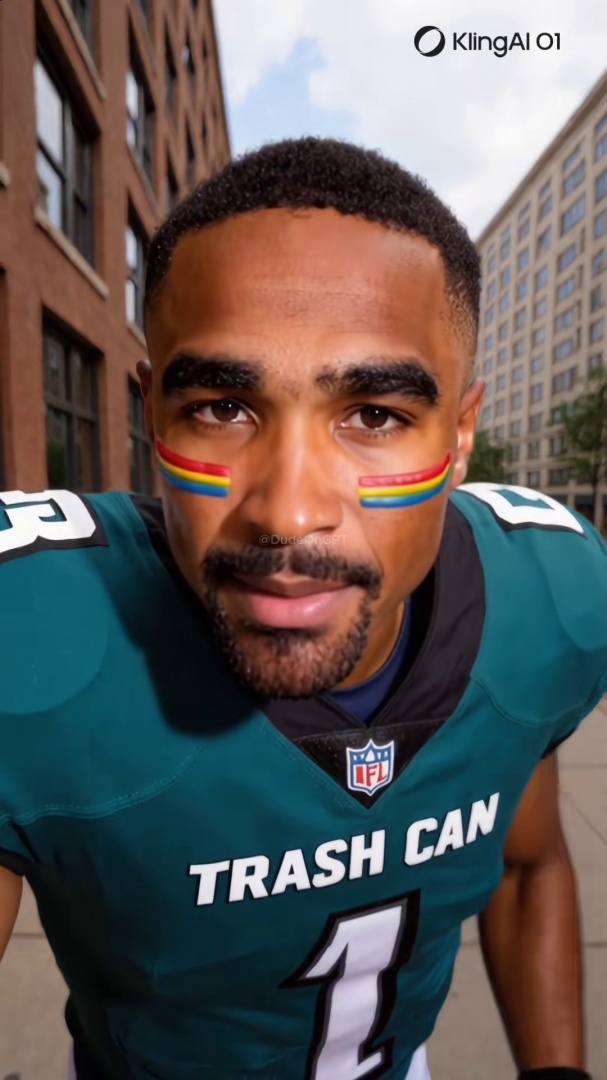
Quick answer: Instagram Reels are flooded with AI video that Meta's "Made with AI" label fails to catch because operators strip the C2PA metadata the label depends on. Spot a synthetic Reel by checking the AI Info menu, scanning the face for edge artifacts during head movement, listening for too-clean audio, and reverse-image-searching the account's other photos.
Instagram is estimated to have more than 2 billion monthly active users worldwide and a "Made with AI" label that Meta added in May 2024. On paper, the label is a complete solution: AI content gets flagged, users see the flag, problem solved. In practice, Meta's own Transparency Center data shows the label was displayed on hundreds of millions of Reels in early 2026 with only a small fraction generating any user interaction. The label is loud in the data and quiet in user behavior. And that is the version where the label is working as intended.
The version where it does not work is far more common. The label depends on the C2PA metadata standard, which AI tools embed in their outputs. Operators routinely strip that metadata before uploading, and a small ecosystem of "AI label remover" services has emerged specifically for this workflow (this post does not link them). The result is a feed where most synthetic Reels arrive with no AI indicator at all, while the ones that do get labeled are often false positives on retouched real photos.
This post walks through seven specific signs to check yourself, the 30-second verification flow, and what to do when you spot a fake.
For the broader technical grounding on how synthetic video is generated, see the pillar guide on what a deepfake actually is.
Hundreds of millions Instagram Reels were displayed with a Meta "AI Info" label in early 2026, but only a small fraction of those views generated any user interaction with the label, according to Meta's own Transparency Center data. Source: Meta Transparency Center, AI labeling impact dashboard.
Why Instagram's AI Label Misses Most Synthetic Reels
Three structural problems make the label unreliable as a single source of truth.
It depends on metadata operators strip. Meta's automatic detection looks for C2PA Content Credentials embedded by tools like Adobe Firefly, DALL-E, and Midjourney. When an operator runs the output through any conversion tool that drops metadata (or uses a model that never embedded it), the label never fires. The whole detection layer assumes good faith from the source tool, which is exactly what fraud-farms do not provide.
False positives on real content. Professional photographers have reported that legitimate retouched photos got auto-tagged as AI because they had passed through Photoshop Beta or Firefly during editing, with the residual C2PA metadata triggering the label even when nothing AI-generated was added. The result trains users to ignore the label, because they have seen it on real content they know is authentic.
Adversarial removal tools. A category of websites and apps now exists specifically to strip the "Made with AI" label from Instagram uploads. The economics support these tools because every operator who relies on AI content benefits from removing the marker. The label and the workaround coexist in a public, available-to-anyone arms race.
The EU AI Act's Article 50 enforcement deadline of August 2, 2026 will tighten these rules for EU audiences, but US-side enforcement remains voluntary. Until that changes, the label is one signal among many, not a verdict.
Seven Signs to Check on a Reel
These show up consistently across documented synthetic Reels through 2025 and 2026.
1. Tap the three-dot menu and look for "AI Info" or "Made with AI." Start here, but treat absence as not-yet-evidence rather than confirmation the Reel is real. The label catches some content; missing it catches nothing.
2. Pause and scrub frame-by-frame during head movement. Reels are short, and operators hide artifacts in fast cuts. Pause the Reel and use the timeline scrubber to advance slowly through any shot where the subject turns their head. Many face-swap models smear hairline and jaw edges briefly during rapid head movement, especially under directional lighting. The strongest current generators handle this better, so absence of smearing does not clear the Reel; presence of it almost always confirms a synthetic.
3. Listen with your eyes closed. Real Reels have ambient sound, breath, room tone, traffic, distant voices. AI voiceovers and cloned voices have suspiciously clean audio with none of that. If the audio sounds like a podcast recorded in a treated studio while the visual shows the subject "candidly" walking outside, the audio-visual mismatch is the tell.
4. Look for the same face in different scenes with the same lighting. Synthetic personas use character LoRAs and seed-locked prompts to keep the same "person" appearing across multiple Reels. The lighting on the face often does not match the new background (studio-lit face on an outdoor day, or even-lit face under harsh shadows). Real people do not light themselves consistently across every shot.
5. Check the bio link target. A bio link that goes directly to Fanvue, OnlyFans, Patreon, or a sketchy crypto trading platform is a strong fraud signal. Real personal accounts rarely lead with a paywall. For the dedicated playbook breakdown of how AI Instagram models monetize through Fanvue, the operator pattern is documented in detail.
6. Reverse-image search a screen capture. Take a screenshot during a still moment of the Reel. Drop it into Google Images, TinEye, or any reverse-image-search tool. AI-generated stills typically return either zero matches or matches only on AI image galleries and prompt-sharing sites. Real people's images surface across friends' tagged photos, school yearbooks, news coverage, professional sites, and varied real-world contexts.
7. Audit the account's other content. Every Reel features the same person in studio-lit single-subject shots. No group photos. No real-world context. No friends or family ever appear. No timestamps that line up with their stated location. Real social-media-active people accumulate varied, messy, unflattering image archives. AI personas do not.
For the universal visual-tells framework that applies to any AI face on any platform, see the 6 visual tells that instantly give away an AI face on video. The seven Reel-specific signs above are the Instagram-context application of those broader principles.
Think you found an AI video?
Paste the URL and let the Ledger community verify it. Free.
The 30-Second Verification Flow
A scannable workflow you can run on any Reel before sharing it.
- 0:00–0:05: Tap the three-dot menu, look for "AI Info" or "Made with AI." If present, you have one positive signal.
- 0:05–0:15: Pause the Reel. Scrub the timeline frame-by-frame through any head-movement shot. Watch the hairline and jaw edges.
- 0:15–0:20: Replay with eyes closed. Listen for breath, room tone, ambient noise. If the audio is too clean, that is a flag.
- 0:20–0:25: Take a screenshot. Open Google Images on your phone. Reverse search.
- 0:25–0:30: Tap the username. Scroll the grid. If it is studio shots only, no group photos, no real-world context, you have your answer.
If two or more signs fail, do not share. The verification flow is short enough to run on every Reel that asks you to feel something strong (anger, attraction, fear, urgency). Those are the Reels operators design to spread.
What to Do When You Find a Fake Reel
Three steps in order.
Do not engage. No comment, no share, no skeptical reply. Engagement is part of how the platform decides which Reels reach more people. Even a comment that says "this is fake" amplifies the post in the algorithm. Move on.
Report through the three-dot menu. Tap the three dots, choose Report, then "False information" or "AI-generated content not labeled." Reports do not always trigger immediate action, but they feed the pattern data that Meta's enforcement systems use. The TechCrunch coverage of Meta's March 2026 AI enforcement rollout makes clear that user reports are now the primary input to the system after Meta reduced its third-party fact-check reliance.
Document the operator if the account looks coordinated. If the account posts only AI-generated content and follows the fraud-farm pattern, take screenshots of the bio, the grid, the bio link target, and a few representative Reels. Save them offline. The account gets banned and recreated under a new handle on a regular cadence; your documentation persists.
What Ledger Does Differently
Meta's "Made with AI" label is a metadata check. It works when the source tool cooperates and stops working when the operator strips the metadata. Most synthetic Reels you encounter in 2026 fall into the second category.
A community-built record of flagged AI accounts persists across platform takedowns. When Ledger users flag a synthetic Instagram account, the flag stays attached to the operator pattern: the photo set, the bio link target, the writing voice. The next time the same operator spins up a new account from the same template, the cumulative flag history is searchable.
If you came here wanting to verify whether a specific Instagram Reel or account is AI-generated, that is exactly what Ledger is for. Paste the URL or the @username into the free AI video detector. Free, no signup, no fees. The community has already flagged a growing list of synthetic accounts.
If you want to help build the record so the next person who lands on a fake Reel sees it flagged before they share it, join the iOS or Android waitlist and be among the first to flag accounts when the app ships.
Related Posts
- What Is a Deepfake? A Plain-English Guide for Social Media Users: the technical foundation that explains how synthetic Reels are generated and why metadata stripping is so easy
- How to Tell If a TikTok Video Is AI-Generated: 7 Signs to Check Right Now: the TikTok-specific sibling that uses the same detection-skill framework with platform-specific UI signals
- The 6 Visual Tells That Instantly Give Away an AI Face on Video: the universal visual-tells framework that applies across Reels, TikTok, YouTube Shorts, and any short-form video
- An AI Instagram Model Made $80,000 in a Week. Here Is How the Scam Works.: the operator playbook that produces most of the synthetic Reels you see on Instagram