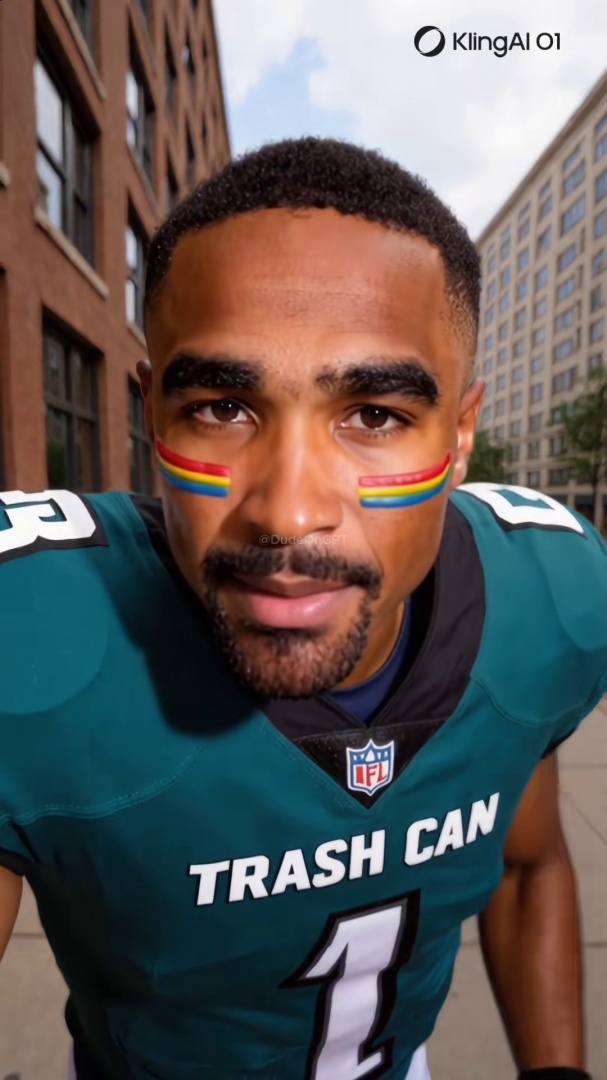
Quick answer: Facebook has more than 3 billion users and a feed dominated by AI-generated video. Spot a fake by checking the AI Info menu under the three-dot menu, looking at the page's About tab, reading the comments for bot-like patterns, and reverse-image-searching a screenshot. The 30-second verification flow walks through all four.
You get a Facebook Messenger thread from your mom: "Look at this!" Below the message is a 45-second video of a celebrity doctor recommending a supplement. Your mom is about to order it. The video has 4 million views and 200,000 shares.
This is the version of the AI-content problem that lands hardest. Facebook is the largest social platform on the internet, and its user base skews meaningfully older than TikTok or Instagram. The same algorithmic engagement loops that surface viral content on TikTok surface AI-generated spam, scams, and political content into the feeds of users who are statistically less likely to recognize the fake.
This post walks through what to check on a Facebook video, the 30-second verification flow you can run before sharing, and the part most articles skip: how to help an older relative spot one before they pass it along.
For the broader technical grounding on how synthetic video gets generated in the first place, see the pillar guide on what a deepfake actually is.
40 million Views on a single AI-generated image post on Facebook in Q3 2023, ranking it among the 20 most-viewed pieces of content on the platform that quarter. Stanford Internet Observatory documented 120 Pages running this playbook, collectively earning hundreds of millions of engagements. Source: Stanford Internet Observatory and Georgetown CSET, "How Spammers, Scammers and Creators Leverage AI-Generated Images on Facebook for Audience Growth," March 2024.
Why Facebook's AI Label Misses Most Synthetic Video
Three structural reasons make Facebook a worse environment for AI-content detection than the other major platforms.
The user base skews older, and older users share more. Pew and other research consistently find Facebook over-indexes on users 50 and over compared to TikTok or Instagram. That cohort is also the cohort that experimental research finds most likely to share misinformation, and least likely to use lateral reading or reverse-image-search as a habit. The audience and the content are matched in the wrong direction.
The algorithm rewards engagement, not authenticity. The Stanford Internet Observatory study cited above documented that 120 Facebook Pages posting AI-generated images collectively pulled in hundreds of millions of engagements, with one AI image landing among the top 20 most-viewed pieces of content on the platform in a single quarter. The Pages in the dataset had a mean follower count of 146,681 and a median of 81,000, meaning these are not fringe accounts; they are mid-sized Pages that the algorithm treats as legitimate publishers. The Feed ranking system cannot distinguish between authentic engagement and engagement on synthetic content. As long as a post drives reactions, comments, and shares, it gets surfaced to non-followers, including the friends-of-friends layer that older users tend to encounter most.
Meta's "Made with AI" label has the same C2PA-dependency problem here as on Instagram. The label fires on cooperating tools that embed metadata. It does not fire when operators strip the metadata before upload, which is most of the time for the spam-and-scam Pages the Stanford team documented. For the full breakdown of why Meta's label fails, see how to tell if an Instagram Reel is AI-generated. The same structural failure modes apply to Facebook video.
The combination of older user base, engagement-driven algorithm, and structurally weak labeling system is why Facebook video specifically needs human verification, not platform trust.
Seven Signs to Check on a Facebook Video
These show up consistently across documented AI-generated Facebook content through 2024, 2025, and 2026.
1. Tap the three-dot menu and look for "AI Info." Same Meta system that runs on Instagram. Start here, but treat the absence of a label as not-yet-evidence rather than confirmation the video is real. Most AI Facebook video has the metadata stripped before upload.
2. Check the Page's About tab. Real personal accounts have a long post history, friends-of-friends connections, and a creation date that goes back years. Spam and scam Pages are typically recent (created in the last 6 to 12 months), have no original content beyond AI-generated posts, and often list a generic location or none at all.
3. Look at the share count relative to the Page's follower count. AI scam Pages optimize for shareability over follower retention. A post with hundreds of thousands of shares from a Page with 5,000 followers is almost always synthetic. The math does not work for organic personal content.
4. Read the comments for bot-like patterns. Spam and scam Page comments are dominated by emojis, single-word reactions ("Amen," "Beautiful," "Wow"), and identical-looking profile pictures from accounts with no posts of their own. Real personal video posts more often include back-and-forth conversation with named friends, even on accounts with low engagement.
5. Click the original poster, then check related Pages. Coordinated AI content clusters run the same images and captions across multiple Pages run by the same administrators. If you find a viral AI video on Page A, search the caption text on Facebook search; if the exact wording appears on five other Pages with similar AI content, you have found the cluster. The Stanford study found that this clustering pattern is the rule rather than the exception: most high-performing AI-content Pages do not run alone. Identifying one Page in a cluster makes the others easier to spot, and reporting them as a group tends to produce faster Meta enforcement than reporting any single Page on its own.
6. Reverse-image-search a screenshot of a still frame. Pause the video at a clear face shot, take a screenshot, drop it into Google Images or TinEye. AI-generated stills typically return either zero matches or matches only on AI image galleries and prompt-sharing sites. Real people's images surface across friends' tagged photos, news coverage, and varied real-world contexts.
7. Click the link or page in the description. Spam Pages drive clicks to clickbait domains. Scam Pages drive clicks to product sites that often do not actually fulfill orders. If the link in the description goes anywhere other than a verifiable, named, primary source, treat the video as suspect by default.
For the broader visual-tells framework that applies across any AI face on any platform, see the 6 visual tells that instantly give away an AI face on video. The seven signs above are the Facebook-context application of those principles.
Think you found an AI video?
Paste the URL and let the Ledger community verify it. Free.
The 30-Second Verification Flow
A scannable workflow you can run on any Facebook video before sharing it or before letting an older relative share it.
- 0:00–0:05: Tap the three-dot menu. Look for "AI Info."
- 0:05–0:10: Tap the Page name. Glance at the About tab and the creation date.
- 0:10–0:15: Scroll to the comments. Look for bot-like patterns or named friend conversations.
- 0:15–0:25: Take a screenshot of a still frame. Reverse-image-search it.
- 0:25–0:30: Click any link in the description. Confirm it goes to a real, named source.
If two or more signals fail, do not share. If you found the video in a Messenger thread from a relative, do not just say "this is fake." See the next section.
Helping Your Parents Through It (the Part Most Articles Skip)
The biggest leverage on Facebook AI content is not your own detection skill. It is whether your parents or grandparents who actually use Facebook can stop themselves from sharing a fake.
Five practical things to try with an older relative.
Show them the three-dot menu workflow on their own phone. Not your phone, theirs. Watch them try it. The first time they tap and find "AI Info," they remember. Reading about it does not stick the same way.
Set up a low-friction "send it to me first" pact. A specific text-message agreement: "If you are not sure if a video is real, forward it to me before you share it. No judgement. Takes me 30 seconds." Most older Facebook users will use this if it is offered without lecturing.
Bookmark the Ledger AI Video Detector on their phone. A direct link they can paste a Facebook URL into. Free, no signup needed for the first checks. The community has flagged a growing list of synthetic accounts; their grandkid is two clicks away from a community verdict.
Do not shame them when they share something fake. Shame is the response operators count on. The reflex it produces is "I will stop checking with my kids" not "I will be more careful." Focus the conversation on the workflow, not the share. The next-time reaction is what matters.
Show them one good detection win together. Find an AI video on their feed (there will be one within 10 minutes of scrolling), walk through the seven signs together, and let them be the one who identifies it. The behavior change happens when they catch one themselves, not when you catch one for them.
For the parallel guide on protecting older relatives from AI voice cloning scam calls, see AI voice cloning scams hit 1 in 10 Americans. The voice-on-the-phone vector is different from the video-in-the-feed vector, but the family-side coaching playbook is similar.
What to Do When You Find a Fake Video
Three steps in order.
Do not engage. No comment, no share, no skeptical reply. Engagement is part of how Facebook's algorithm decides which content reaches more users. Even a comment that says "this is fake" amplifies the post in the Feed.
Report through the three-dot menu. Tap the three dots, choose "Find support or report," then "False information" or "Spam" depending on the content. Reports do not always trigger immediate action, but they feed the pattern data that Meta's enforcement systems use.
Document the operator if the Page looks coordinated. If the Page posts only AI content, or you found the same content on multiple Pages, take screenshots of each Page's About tab, the bio link target, and a few representative posts. Save them offline. Coordinated AI Page clusters get banned and recreated; your documentation persists across the takedowns.
Why Community Verification Holds Up Where Platform Labels Fail
Meta's "Made with AI" label is a metadata check that breaks when operators strip the metadata. Most synthetic Facebook video you encounter has had its metadata stripped before upload.
A community-built record of flagged AI Pages persists across platform takedowns. When Ledger users flag a synthetic Facebook account, the flag stays attached to the account record even after Meta removes the Page. Operators can spin up new handles, but each new handle starts at zero flags and has to earn its own community history from scratch.
If you came here wanting to verify whether a specific Facebook video is real, that is exactly what Ledger is for. Paste the URL into the free AI video detector. Free up to five anonymous checks per day, free with an account beyond that.
If you want to help build the community record so the next person who lands on the same AI Facebook Page sees it flagged before they share, join the iOS or Android waitlist and be among the first to flag accounts when the apps ship.
For the side-by-side comparison of how community verification, AI detector tools, and platform labels each handle Facebook content differently, see the three ways to catch a deepfake in 2026.
Related Posts
- What Is a Deepfake? A Plain-English Guide for Social Media Users: the technical foundation that explains how synthetic Facebook video gets generated and why metadata stripping is so easy
- How to Tell If a TikTok Video Is AI-Generated: 7 Signs to Check Right Now: the TikTok-specific sibling that uses the same detection-skill framework with platform-specific UI signals
- How to Tell If an Instagram Reel Is AI-Generated: 7 Signs to Check Before You Share: the Instagram-Reels sibling, third post in the platform-specific detection cluster
- AI Voice Cloning Scams Hit 1 in 10 Americans. Here Is How to Protect Your Family.: the voice-on-the-phone parallel to this Facebook-feed guide, using the same family-stakes coaching framework