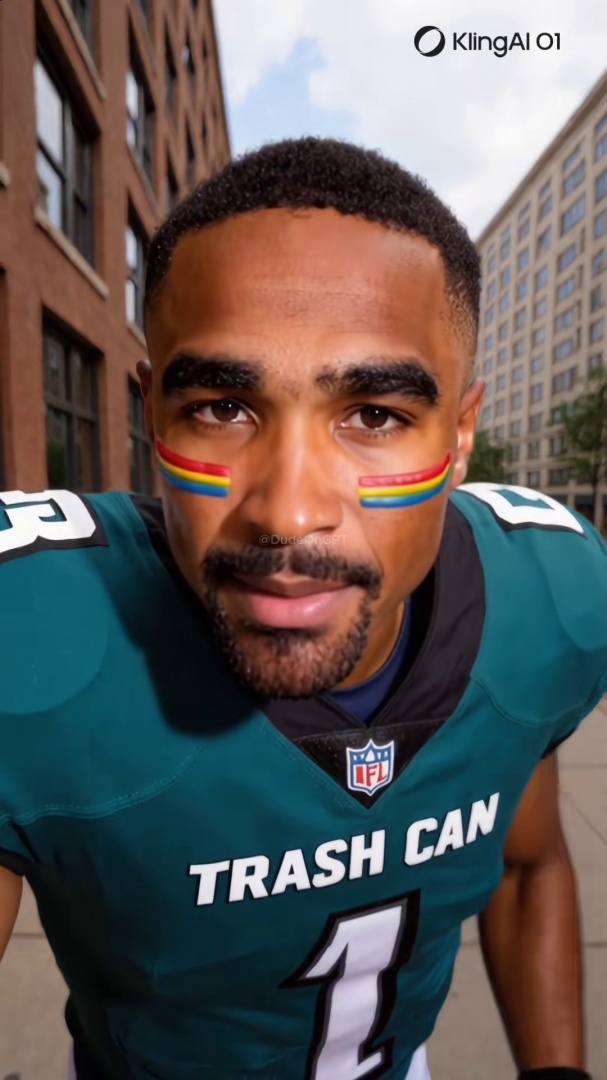
Quick answer: To verify a video before sharing, take five minutes: notice your emotional response, find the original source via reverse image search, check the posting account's history, look for AI signals in the face and background, and check whether other users have already flagged the content. Skipping any step increases the chance of amplifying misinformation.
You see a video. It surprises you, angers you, or confirms something you already believed. You are about to share it.
Stop for five minutes. This guide covers the exact verification steps that will tell you whether the video is real before it reaches your followers.
This is not a technical guide. You do not need specialized software. Every step here can be completed on a phone.
Why Sharing Without Checking Matters
The spread of false video is not primarily driven by bad actors. It is driven by people with good intentions who shared something before they verified it.
A 2023 MIT study found that false news spreads six times faster than true news on Twitter, and the primary amplification mechanism is retweets from people who believed the content was accurate. Video is more compelling than text and is more likely to be shared without verification.
The platforms are not going to solve this for you. AI-content labels are inconsistent. Fact-checkers are too slow for content that spreads in hours. The verification step happens at the moment you decide whether to share, which means it falls on you.
Five minutes is not a high bar. But most people do not take it.
Step 1: Check the Emotional Response (30 Seconds)
Before anything else, notice how the video made you feel.
Content designed to spread fast is engineered to produce strong emotional reactions: outrage, fear, vindication, or excitement. These states reduce the instinct to verify. If you feel a strong urge to share something immediately, that urgency is itself a signal to slow down.
This is not a reason to distrust all emotionally resonant content. It is a reason to apply the same verification standard to content you agree with as you would apply to content you distrust.
Step 2: Find the Original Source (1 Minute)
Most viral videos are not original uploads. They are re-edits, cropped clips, or reposts from the account that originally published them.
Before assessing the video content, find where the video first appeared.
How: Reverse-image search the thumbnail. On most platforms, you can take a screenshot of the video, then upload it to Google Images or TinEye. This shows you whether the same image or video has appeared in other contexts.
What to look for:
- Does the video appear in credible news sources?
- Does it appear on the official account of the person or organization it claims to represent?
- Does the oldest version of the video match the context being claimed?
A video of a flood described as happening in Texas that reverse-image searches to a 2019 storm in Bangladesh is not evidence of a Texas flood. The content is real. The context is false. Context manipulation is more common than full fabrication.
Step 3: Check the Posting Account (1 Minute)
Look at the account that posted the video you saw, not the original source.
Signals that indicate low-credibility accounts:
- Created recently (within the past few months)
- Few followers relative to the engagement on the specific video
- No consistent posting history or original content
- Username that mimics a well-known person or organization with a slight variation (e.g. @ElonMusk_ instead of @elonmusk)
- Profile picture that looks AI-generated (overly smooth skin, background that is slightly off, hair that blends into the background)
A video that looks credible can still be manipulated content if it is circulating from an account with these characteristics.
Step 4: Check the Video for AI Signals (2 Minutes)
If the video shows a person speaking directly to camera, run through the visual checks for AI-generated content.
These signals are covered in detail in The 6 Visual Tells That Instantly Give Away an AI Face on Video, but the fast version is:
Lip sync: Watch the transition between words that require the lips to fully close, specifically words that begin with B, P, or M. If the lips approximate the motion without completing it, the audio may have been generated and overlaid on existing footage.
Blink pattern: Real blinks are irregular and involve muscle movement across the eye area. AI-generated faces often blink at mechanically even intervals or produce blinks that look complete but do not involve the brow or lower lid.
Hairline and ear edges: AI face swaps concentrate artifacts at the boundary between the generated face and the background. Look for a faint halo, inconsistent skin tone at the temple, or edges that do not move naturally when the head turns.
Background consistency: When the subject moves, the background should remain stable. AI-generated video sometimes produces warping or blurring near the frame edges during head movement.
Teeth: AI generators frequently produce teeth that are too uniform, disappear between syllables, or do not occlude correctly when the mouth closes.
You do not need to find multiple signals to be concerned. One clear signal is enough to warrant a closer look.
Think you found an AI video?
Paste the URL and let the Ledger community verify it. Free.
Step 5: Check Whether It Has Already Been Verified or Flagged (30 Seconds)
Before you spend more time on your own assessment, check whether someone else has already done the work.
For news and political content: Search the video subject on AP Fact Check, Reuters Fact Check, Snopes, or PolitiFact. If the video is circulating widely, these organizations often have a verdict within hours.
For AI-generated video specifically: Paste the URL into Ledger. If other users have already assessed the video or the account that posted it, you will see the community's record. This tells you whether you are looking at an isolated video or part of a pattern of AI-generated content from the same source.
A video that has not been assessed anywhere is not necessarily suspicious. It may simply be new. But if it is already circulating and no one has verified it, that is worth noting before you add your reach to its distribution.
The One-Sentence Version
If you will not remember any of the above, remember this: before sharing a video that surprised or angered you, search for the original source and find one credible account that has confirmed it is what it claims to be.
That single step eliminates most misinformation sharing.
When to Report Instead of Share
If you have gone through these steps and concluded the video is manipulated or AI-generated, the right action is not to share it with a warning attached. Sharing with commentary still extends the video's reach.
The right action is to report it and document it. The full reporting sequence for TikTok, Instagram, and Facebook is in How to Report a Deepfake on TikTok, Instagram, or Facebook. Document the content before you report, because platform action sometimes removes the evidence before third parties can review it.
Related Posts
- The 6 Visual Tells That Instantly Give Away an AI Face on Video: the detailed visual detection guide referenced in Step 4
- How to Tell If a TikTok Video Is AI-Generated: 7 Signs to Check Right Now: platform-specific version of the same detection checklist
- Three US Politicians Shared an AI Image as Real: The Iran Airman Incident: what happens at scale when the verification step in this post gets skipped
- How to Report a Deepfake on TikTok, Instagram, or Facebook: what to do after you have identified suspicious content