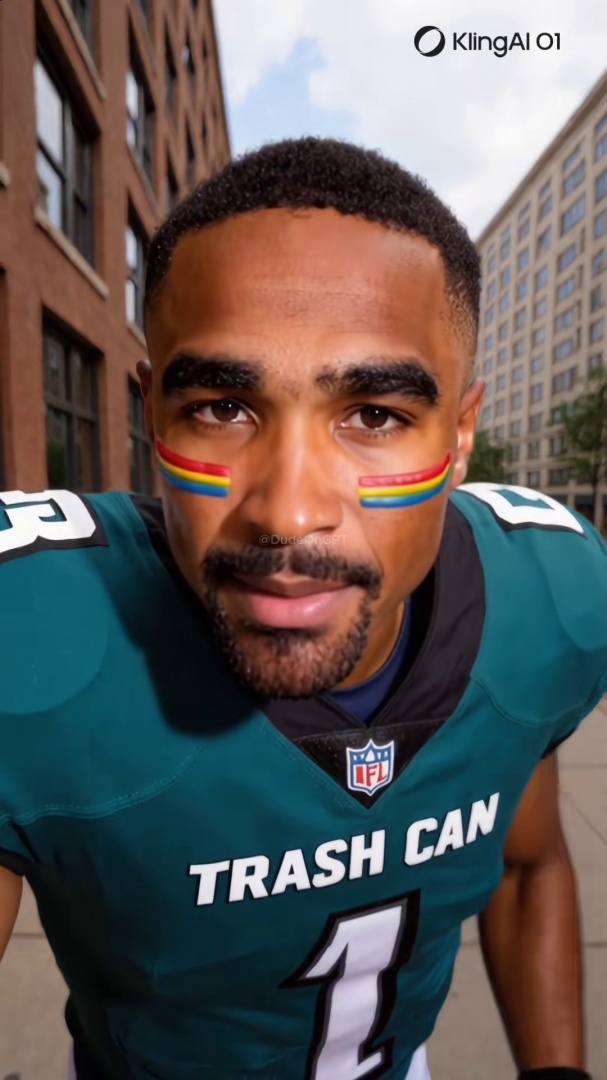
Quick answer: YouTube has more than 2.5 billion users and a 2026 channel ecosystem in which roughly 38 percent of new monetization ventures are faceless AI channels. Spot one by listening for AI-narrated voiceovers with no breath sounds, checking the channel's About tab and creation date, scanning the thumbnail set for AI-generated artifacts, and reverse-image-searching a still frame.
You subscribed to a tarot channel three weeks ago. The voiceover sounded confident. The thumbnails were eye-catching. The videos kept coming, sometimes two a day, always around five minutes, always with the same calm narrator. Then one morning you noticed the narrator never breathes. The thumbnails are slightly off in ways you cannot quite name. The "About" tab has no creator photo and no real name. The channel was created four months ago and has 280 videos.
This is the most common version of the AI YouTube content problem in 2026. The faceless AI channel category has scaled from a small niche in 2022 to a dominant share of new monetization ventures, collapsing production costs to under $3 per video and putting mass-generated content in front of more than 2.5 billion monthly users. Tarot, animal facts, history retellings, mystery stories, motivational quotes, true crime: every category that runs well as voiceover-over-images now has an AI-generated layer.
This post walks through the seven signs that give an AI YouTube video or channel away, the 30-second verification flow, and the channel-pattern check that matters more on YouTube than on any other platform.
For the broader technical grounding on how synthetic video and voice get generated, see the pillar guide on what a deepfake actually is.
Roughly 38 percent Of new YouTube creator monetization ventures in 2026 are faceless channels heavily reliant on AI for voiceover, scripts, and visuals, according to one industry analysis, up from a much smaller share earlier in the decade. AI tools have collapsed production costs to under $3 per video, making mass-produced channels economically viable at a scale platforms cannot moderate manually. Source: Miraflow industry analysis on the faceless creator economy, 2026.
Why YouTube's Synthetic Content Disclosure Misses Most AI Channels
Three structural features make YouTube a different detection problem from TikTok, Instagram, or Facebook.
The channel matters more than the video. TikTok and Reels are short-form algorithmic feeds where one viral video can land in front of a viewer with no relationship to the creator. YouTube subscriptions are durable; viewers follow channels and come back to them. The signal a viewer needs is whether to subscribe, not just whether a single video is real. That makes the channel-pattern check (covered below) higher-leverage than the per-video check.
YouTube's AI disclosure system is more developed but still gappy. YouTube introduced its Altered or Synthetic Content disclosure in November 2023 and expanded enforcement through 2025. YouTube has stated that its systems can apply labels even when creators do not self-disclose. The system still depends on automated detection that lags new generators and on creator self-disclosure that fraud accounts skip. The label is a positive signal when present and not a clearance when absent.
Faceless AI channels are a category, not an exception. YouTube has clarified that faceless channels themselves are not banned; only low-effort, mass-produced ones violate the inauthentic content policy. In early 2026 thousands of faceless AI channels had monetization suspended under that policy. The enforcement is real but trails the upload volume. New channels spin up faster than the platform can demonetize them.
The combination of channel-driven discovery, partial AI labeling, and an industrialized faceless-channel economy is why YouTube specifically rewards the channel-level check.
Seven Signs to Check on a YouTube Video
These show up consistently across documented AI YouTube channels through 2025 and 2026.
1. Voiceover cadence is too clean. Real recorded narration has breath sounds, pauses for thought, occasional verbal stumbles, and natural variation in pace. AI-narrated voiceovers (most current cloned voices, including the higher-quality ones) produce remarkably even cadence with no breath, no fillers, and metronome-like timing. If a five-minute voiceover has no audible breath, that is one of the strongest audio signals on the platform.
2. No talking-head footage of the creator anywhere on the channel. Faceless channels are not always AI, but AI faceless channels are the dominant category in 2026. Click through 5 to 10 videos. If every video is voiceover over stock images, AI-generated visuals, or B-roll, with no human appearance, you are looking at a probable AI channel.
3. Channel age vs. upload velocity mismatch. Real human creators ramp up gradually. AI faceless channels often post 5 to 10 videos a week from a 6-month-old channel, with hundreds of videos already uploaded. That cadence is not feasible for a single human producing original work; it is the signature of an automated pipeline.
4. Channel name and handle pattern look generated. AI channel names tend toward a generic-niche template ("Mystery Universe," "Tarot Daily," "Wild Animals 4K," "History Untold") with handles that look auto-generated (@mysteryuniverse2024). Real personal channels typically have a creator's actual name or a memorable brand a person built deliberately.
5. Thumbnails are AI-generated themselves. Click-bait thumbnails with surreal hand artifacts, melting faces, impossible scenes, or photorealistic-but-uncanny composition are the tell. Right-click any thumbnail and reverse-image-search it. AI-generated thumbnails return either zero matches or matches only on AI image galleries and prompt-sharing sites.
6. Comments are bot-like patterns. AI channel comment sections are dominated by emojis, generic praise ("Amazing video!" "So true!" "Wow!"), and identical-looking profile pictures from accounts with no posts of their own. Real channel comment sections include named questions, specific feedback, and back-and-forth between commenters.
7. Description has no Altered or Synthetic Content disclosure. Tap the description and scroll. YouTube places the disclosure label here when triggered. Absence of the label is not proof of authenticity (most fraud channels skip self-disclosure and avoid the automatic detection trigger), but presence of the label is a strong positive signal that the content is at least partially AI.
For the broader visual-tells framework that applies across any AI face on any platform, see the 6 visual tells that instantly give away an AI face on video. The seven signs above are the YouTube-context application of those broader principles.
Think you found an AI video?
Paste the URL and let the Ledger community verify it. Free.
The 30-Second Verification Flow
A scannable workflow you can run on any YouTube video before subscribing or sharing.
- 0:00–0:05: Tap the description, scroll for "Altered or synthetic content" or "Includes paid promotion" disclosures.
- 0:05–0:15: Listen to 10 seconds of voiceover with eyes closed. Breath sounds, fillers, natural pace = real. Metronome cadence with no breath = AI.
- 0:15–0:20: Tap the channel name, glance at the About tab and the creation date.
- 0:20–0:25: Scroll the channel's video grid. Count visible talking-head appearances of any human creator.
- 0:25–0:30: Read three top comments. Check for bot-like patterns versus named back-and-forth.
If two or more signals fail, do not subscribe. If you already subscribed, the next section covers what to do.
The Channel Pattern Check
The single most distinctive YouTube detection feature, and the one that does not apply on TikTok or Instagram in the same way, is that YouTube viewers commit to channels, not just videos. The right detection question on YouTube is not "is this video real" but "is the channel an AI farm."
A channel-pattern check looks at five things together:
- Creation date within the last 12 months
- Total video count above 100
- Average upload frequency at 5+ videos per week
- No human face appearing in any of the first 10 videos sampled
- Channel handle following an auto-generated template
Any three of those five together produce a confident AI-channel verdict. The combination is what makes the signal reliable, because each one in isolation has many real-creator counterexamples (a productive vlogger can hit upload-velocity 5; a brand-new educational channel can have no creator face). Together they describe a class of operation that is rare among real human channels.
The pattern matters because YouTube's enforcement runs at the channel level. When the platform suspends monetization on an AI farm, it is suspending a channel, not a video. Recognizing the channel pattern lets you make the same judgment YouTube's enforcement systems are converging on.
What to Do When You Find a Fake
Three steps in order.
Do not subscribe, like, or comment. The YouTube algorithm uses subscribe and watch-time signals to rank channel content. Even a skeptical comment helps the channel surface to more viewers. Move on.
Report through the three-dot menu under the video. Choose "Report," then "Spam or misleading," then "Misinformation" or "Repetitive content." Reports feed the inauthentic-content enforcement that suspended thousands of AI channels in early 2026.
Document the channel if it looks coordinated. Take screenshots of the About tab, the channel grid, three representative thumbnails, and one full video URL. Save offline. Coordinated AI channel networks operate as clusters; documenting one channel often makes the rest of the cluster easier to identify when they get rebuilt under new handles.
Why Community Verification Holds Up Where YouTube's Detection Does Not
YouTube's automated AI detection is among the strongest of any platform in 2026, and it still misses material at the edges (new generators, multilingual dubbing, stripped metadata, foreign-language operators). The label is a positive signal when present and not a clearance when absent, the same structural pattern that holds on Meta's platforms.
A community-built record of flagged AI channels persists across platform takedowns. When Ledger users flag a synthetic YouTube channel, the flag stays attached to the channel record even after YouTube suspends the account. Operators can spin up new channels, but each new handle starts at zero flags and has to earn its own community history from scratch.
If you came here wanting to verify whether a specific YouTube channel is AI-generated, that is exactly what Ledger is for. Paste the channel or video URL into the free AI video detector. Free up to five anonymous checks per day, free with an account beyond that.
If you want to help build the community record so the next person who lands on the same AI channel sees it flagged before they subscribe, join the iOS or Android waitlist and be among the first to flag accounts when the apps ship.
For the side-by-side comparison of how community verification, AI detector tools, and platform labels each handle YouTube content differently, see the three ways to catch a deepfake in 2026.
Related Posts
- What Is a Deepfake? A Plain-English Guide for Social Media Users: the technical foundation that explains how synthetic video and voice get generated and why faceless AI channels can scale
- How to Tell If a TikTok Video Is AI-Generated: 7 Signs to Check Right Now: the TikTok-specific sibling pillar in the platform-detection cluster
- How to Tell If an Instagram Reel Is AI-Generated: 7 Signs to Check Before You Share: the Instagram-Reels sibling pillar that uses the same detection-skill framework with platform-specific UI signals
- How to Tell If a Facebook Video Is AI-Generated (and Help Your Parents Spot One): the Facebook sibling pillar; together with the TikTok, Instagram, and YouTube guides this completes the four-platform detection cluster